Logo
QRSBN QR Code Standard Book Number
All News | Edukasi 01 Nov 2026, 09:17 26x views

Mengenal Katalog Dalam Terbitan (KDT) dan Manfaatnya bagi Buku Anda

Katalog Dalam Terbitan (KDT) adalah deskripsi bibliografis yang dicantumkan di halaman balik judul buku. Kenali isi, manfaat, dan cara memasangnya; di QRSBN, KDT disusun otomatis dari data buku saat validasi.

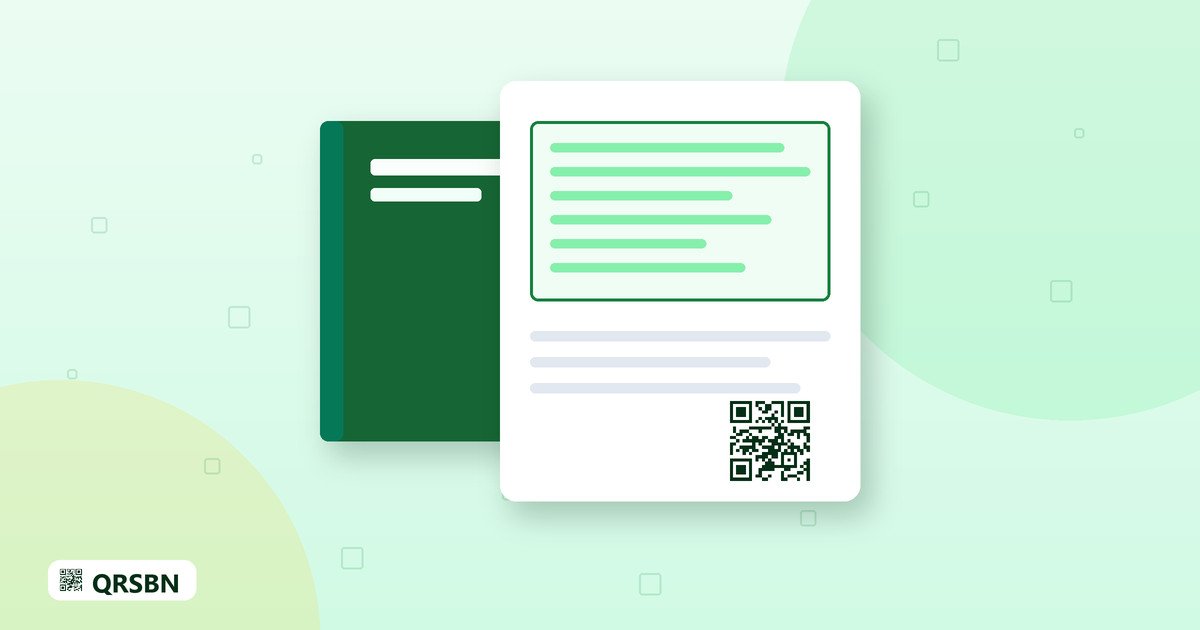
Saat membuka halaman balik judul sebuah buku, Anda sering menemukan sebuah kotak kecil berisi nama penulis, judul, kota terbit, nama penerbit, jumlah halaman, ukuran buku, dan nomor identitas. Kotak itu adalah Katalog Dalam Terbitan, atau KDT. Bagi sebagian penulis dan penerbit pemula, KDT kerap dianggap pelengkap. Padahal, keberadaannya membantu banyak pihak, mulai dari pustakawan hingga pembaca yang ingin mengutip buku Anda. Artikel ini menjelaskan apa itu KDT, apa saja isinya, manfaatnya, dan bagaimana QRSBN menyiapkannya untuk Anda.

Apa itu KDT?

KDT adalah deskripsi bibliografis sebuah buku yang disusun sebelum buku diterbitkan, lalu dicetak di dalam buku itu sendiri. Letaknya di halaman balik judul, yaitu halaman verso setelah halaman judul, yang juga sering memuat keterangan hak cipta. Dalam praktik internasional, konsep serupa dikenal sebagai Cataloguing in Publication (CIP).

Karena tercetak langsung di buku, KDT menjadi rujukan cepat tentang identitas bibliografis buku tanpa perlu mencari ke sumber lain.

Apa saja isi KDT?

Secara umum, sebuah KDT memuat unsur-unsur berikut:

  • Nama penulis, yaitu orang atau lembaga yang bertanggung jawab atas karya.
  • Judul buku, termasuk anak judul bila ada.
  • Keterangan terbitan, yaitu kota terbit, nama penerbit, dan tahun terbit.
  • Deskripsi fisik, seperti jumlah halaman dan ukuran buku.
  • Nomor identitas buku.
  • Subjek atau klasifikasi, yang menunjukkan bidang ilmu atau topik buku.

Manfaat KDT bagi berbagai pihak

Bagi perpustakaan

KDT memudahkan pustakawan mengatalogkan buku. Informasi penulis, judul, keterangan terbitan, dan subjek sudah tersedia dalam satu tempat, sehingga buku lebih cepat diolah dan ditempatkan di koleksi yang tepat.

Bagi pembaca dan peneliti

Ketika mengutip sebuah buku dalam tulisan ilmiah, pembaca membutuhkan data yang akurat: penulis, judul, kota, penerbit, dan tahun. KDT menyajikan semuanya secara ringkas, sehingga kesalahan kutipan dapat dikurangi.

Bagi penerbit dan penulis

KDT menunjukkan bahwa buku diterbitkan secara tertata dan memiliki identitas yang jelas. Kesan profesional ini penting ketika buku ditawarkan ke toko buku, perpustakaan, sekolah, atau lembaga lain.

Bagaimana KDT disiapkan di QRSBN?

Di QRSBN, Anda tidak perlu menyusun KDT secara manual. Saat mengajukan nomor melalui menu Daftar QRSBN, penerbit dapat memilih pengajuan KDT. KDT kemudian disusun otomatis dari data buku yang Anda isi di formulir pada saat permohonan divalidasi. Setelah tervalidasi, KDT tersedia untuk diunduh dalam dua format:

  • JPG, praktis untuk ditempel langsung ke tata letak buku;
  • PDF, cocok untuk arsip atau kebutuhan cetak.

Karena disusun dari data formulir, kualitas KDT bergantung pada ketelitian data yang Anda masukkan. Ejaan judul, nama penulis, kota terbit, jumlah halaman, dan tinggi buku sebaiknya diperiksa dengan cermat sebelum permohonan dikirim.

Cara memasang KDT di buku

  1. Unduh KDT setelah buku Anda tervalidasi.
  2. Tempatkan KDT di halaman balik judul, bersama keterangan hak cipta.
  3. Pastikan ukurannya proporsional dan teksnya tetap terbaca jelas setelah dicetak.
  4. Cocokkan isi KDT dengan naskah akhir. Bila ada perubahan judul, jumlah halaman, atau data lain setelah pengajuan, segera konsultasikan agar data tetap konsisten.

KDT dan halaman data buku QRSBN saling melengkapi

KDT tercetak di dalam buku dan dibaca langsung oleh orang yang memegang buku tersebut. Sementara itu, setiap buku yang tervalidasi di QRSBN juga memiliki halaman data publik yang dapat dibuka dengan memindai QR Code atau melalui halaman Pencarian. Halaman ini menampilkan judul, penulis, penerbit, tahun terbit, dan nomor QRSBN.

Keduanya memiliki fungsi yang berbeda tetapi saling menguatkan. KDT memudahkan pengolahan bibliografis, sedangkan halaman data buku memungkinkan siapa pun memastikan bahwa buku tersebut memang terdaftar oleh penerbitnya. Karena keduanya bersumber dari data buku yang sama, konsistensi data sejak pengajuan menjadi kunci.

Tips: letakkan QR Code QRSBN di dekat KDT atau di sampul belakang, sehingga pembaca dapat langsung memindai dan melihat data resmi buku.

Pertanyaan yang sering diajukan

Apakah KDT wajib dicantumkan?

KDT sangat dianjurkan karena memudahkan perpustakaan, pembaca, dan peneliti. Bila Anda mengajukannya melalui QRSBN, KDT sudah disiapkan sehingga tinggal dipasang di buku.

Apakah e-book juga bisa memuat KDT?

Bisa. Untuk e-book/PDF, tempatkan KDT pada halaman balik judul di dalam berkas digital, sama seperti pada buku cetak.

Data di KDT saya keliru. Apa yang harus dilakukan?

KDT disusun dari data yang Anda isi saat pengajuan. Bila menemukan kekeliruan, hubungi tim QRSBN melalui info@qrsbn.org dengan menyebutkan judul dan nomor QRSBN buku Anda.

Penutup

KDT mungkin hanya menempati sebagian kecil halaman, tetapi perannya besar dalam menjaga identitas bibliografis buku. Dengan QRSBN, KDT disusun dari data buku Anda dan siap diunduh begitu buku tervalidasi. Kunjungi qrsbn.org untuk mengajukan nomor beserta KDT, dan hubungi info@qrsbn.org bila membutuhkan bantuan.

English Translation

Understanding Cataloguing in Publication (KDT) and Why It Matters

Cataloguing in Publication (KDT) is a bibliographic description printed on the back of a book's title page. Learn what it contains, why it matters and how to place it; on QRSBN, the KDT is compiled automatically from the book data at validation.

When you open the back of a book's title page, you often find a small box containing the author's name, the title, the place of publication, the publisher, the number of pages, the book size and an identification number. That box is the Cataloguing in Publication data, known in Indonesian as KDT. Some new authors and publishers see the KDT as an optional extra. In fact, it helps many people, from librarians to readers who want to cite your book. This article explains what a KDT is, what it contains, why it is useful, and how QRSBN prepares it for you.

What is a KDT?

A KDT is a bibliographic description of a book that is prepared before the book is published and then printed inside the book itself. It sits on the back of the title page, the verso that follows the title page, which often also carries the copyright notice. Internationally, the same idea is known as Cataloguing in Publication (CIP).

Because it is printed directly in the book, the KDT serves as a quick reference to the book's bibliographic identity without the need to look anywhere else.

What does a KDT contain?

In general, a KDT includes the following elements:

  • The author's name, the person or institution responsible for the work.
  • The book's title, including any subtitle.
  • The publication details: place of publication, publisher and year of publication.
  • The physical description, such as the number of pages and the book size.
  • The book's identification number.
  • The subject or classification, showing the book's field or topic.

Who benefits from a KDT?

Libraries

A KDT makes it easier for librarians to catalogue a book. The author, title, publication details and subject are all in one place, so the book can be processed faster and placed in the right collection.

Readers and researchers

When citing a book in academic writing, readers need accurate data: author, title, place, publisher and year. The KDT presents all of this concisely, which helps reduce citation errors.

Publishers and authors

A KDT shows that a book has been published in an orderly way and has a clear identity. This professional impression matters when the book is offered to bookstores, libraries, schools or other institutions.

How is the KDT prepared on QRSBN?

On QRSBN, you do not need to compile the KDT by hand. When applying for a number through the Register QRSBN menu, publishers can request a KDT. The KDT is then compiled automatically from the book data you entered in the form when the application is validated. Once validated, the KDT is available to download in two formats:

  • JPG, convenient for placing directly into the book layout;
  • PDF, suitable for archiving or printing.

Because it is built from the form data, the quality of the KDT depends on how carefully you enter that data. Check the spelling of the title and author names, the place of publication, the number of pages and the book height before submitting your application.

How to place the KDT in your book

  1. Download the KDT once your book has been validated.
  2. Place it on the back of the title page, together with the copyright notice.
  3. Make sure it is sized proportionally and the text remains clearly legible when printed.
  4. Check the KDT against the final manuscript. If the title, page count or other data changed after you applied, get in touch promptly so the data stays consistent.

The KDT and the QRSBN book data page work together

The KDT is printed inside the book and is read directly by whoever holds it. In addition, every book validated on QRSBN has a public data page that can be opened by scanning the QR Code or through the Search page. This page shows the title, author, publisher, year of publication and QRSBN number.

The two serve different purposes but reinforce each other. The KDT makes bibliographic processing easier, while the book data page lets anyone confirm that the book is genuinely registered by its publisher. Since both come from the same book data, keeping that data consistent from the moment you apply is key.

Tip: place the QRSBN QR Code near the KDT or on the back cover, so readers can scan it right away and see the book's official data.

Frequently asked questions

Is a KDT mandatory?

A KDT is strongly recommended because it helps libraries, readers and researchers. If you request it through QRSBN, the KDT is prepared for you, so you only need to place it in the book.

Can an e-book include a KDT?

Yes. For an e-book/PDF, place the KDT on the back of the title page inside the digital file, just as you would in a printed book.

The data in my KDT is wrong. What should I do?

The KDT is compiled from the data you entered when applying. If you find an error, contact the QRSBN team at info@qrsbn.org, mentioning your book's title and QRSBN number.

Closing

A KDT may take up only a small part of a page, but it plays a big role in keeping a book's bibliographic identity clear. With QRSBN, the KDT is compiled from your book data and is ready to download as soon as the book is validated. Visit qrsbn.org to apply for a number together with a KDT, and contact info@qrsbn.org if you need help.